
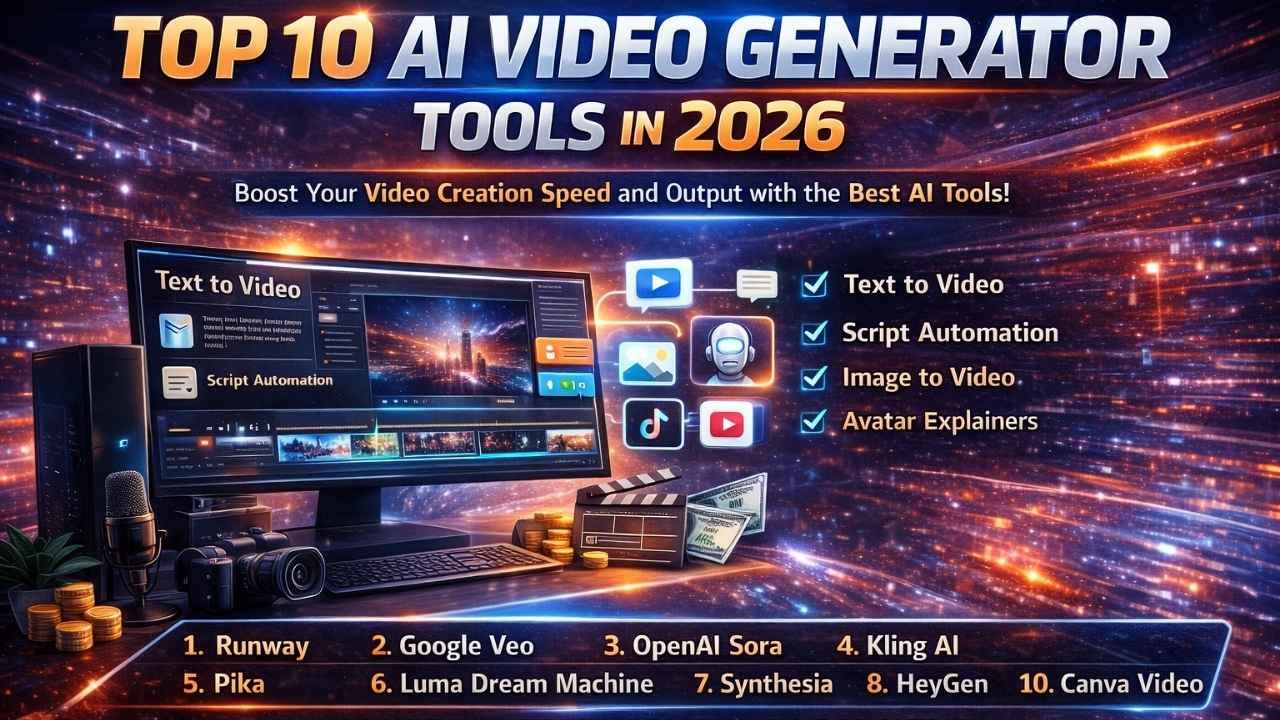
AI video tools in 2026 are not just for experiments anymore. They are now a practical way to create ads, YouTube Shorts, product demos, explainers, and social content in far less time and cost. The problem is that not every tool fits every goal. Some are built for cinematic, realistic scenes, while others are better for talking avatar videos, quick templates, or fast editing for Reels.
In this list, you will find the top 10 AI video generator tools worth using in 2026. Each pick includes what it is best for, key features, real use cases, and simple pros and cons, so you can choose the right tool without wasting money or time.
Related Guides You May Like
- Top 10 Pest Control Services in Rochester, NY (2026)
- Top 10 Pest Control Services in Buffalo, NY (2026)
- Top 10 Pest Control Services in Albany, NY (2026)
Quick Summary: Best AI Video Tools in 2026 (Fast Picks)
If you do not want to read the full list yet, use this shortcut to choose faster.
- Best Overall (Most Balanced): Runway
- Best for Cinematic, Realistic Scenes: Google Veo
- Best for High-Impact Creative Concepts: OpenAI Sora
- Best for Image-to-Video Results: Kling
- Best for YouTube Shorts and Quick Social Clips: Pika
- Best for Smooth, Cinematic Motion: Luma Dream Machine
- Best for Talking Avatar Business Videos: Synthesia
- Best for Marketing Teams and Brand Videos: HeyGen
- Best for Script-to-Video Automation: InVideo
- Best for Simple Templates and Fast Edits: Canva Video
How We Picked These Tools (2026 Criteria)
We selected tools that are practical for real creators and businesses, not just “cool demos.”
- Video quality: motion stability, realism, fewer weird artifacts
- Ease of use: how quickly you can produce usable videos
- Control: styles, camera feel, image-to-video options, aspect ratios
- Editing workflow: whether you can refine inside the tool
- Short-form readiness: Reels/Shorts-friendly exports and speed
- Value: pricing vs output, credit burn, plan limits
- Commercial fit: suitable for brand and client work
What Are AI Video Generator Tools?
AI video generator tools are online platforms that help you create videos using text, scripts, images, or simple prompts, without needing a full filming setup. Instead of recording everything manually, you describe what you want, and the tool generates a short video clip or builds a complete video with scenes, captions, and transitions. In 2026, these tools are widely used by creators, brands, and agencies because they save time, reduce production cost, and make it easier to publish content consistently.
Most AI video generator tools can create videos for YouTube Shorts, Reels, and ads by turning your ideas into motion visuals, adding auto subtitles, and exporting in vertical format. They are especially helpful when you need fast content, want to test multiple hooks, or do not have enough footage for daily posting.
Role and Common Uses of AI Video Generator Tools
AI video generator tools play a key role in modern content creation by making video production faster, cheaper, and easier to scale. In 2026, their main role is to help creators and businesses publish high-quality videos consistently without relying on cameras, studios, or large editing teams. These tools reduce manual work and allow users to focus more on ideas, messaging, and distribution.
Role of AI Video Generator Tools
- Speed up video creation: turn ideas or scripts into videos within minutes
- Reduce production cost: no need for frequent shoots or advanced editing software
- Support content scale: help publish videos daily or weekly without burnout
- Enable testing: create multiple versions of the same video for better performance
- Simplify workflows: automate captions, visuals, formats, and basic edits
Common Uses in 2026
- YouTube Shorts, Reels, and TikTok: daily short-form videos with captions
- Marketing and ads: product promos, UGC-style ads, and brand visuals
- Business explainers: service videos, app demos, and training content
- E-commerce videos: product highlights made from images or text
- Content repurposing: blogs or long videos converted into short clips
Here Are The Top 10 AI Video Generator Tools in 2026
- Runway
- Google Veo
- OpenAI Sora
- Kling AI
- Pika
- Luma Dream Machine
- Synthesia
- HeyGen
- InVideo
- Canva Video
Comparison Table: Top 10 AI Video Generator Tools in 2026
| Tool | Best For | Core Strength | Ease of Use | Free Plan | Pricing Model |
|---|---|---|---|---|---|
| Runway | All-round creators + agencies | Strong generation + practical workflow | Easy–Medium | Yes (limited) | Subscription + credits |
| Google Veo | Cinematic realism | Realistic motion and “filmed” look | Medium | Limited/varies | Plan-based (varies by access) |
| OpenAI Sora | Creative concepts | High-end text-to-video scenes | Medium | Limited/varies | Plan-based (varies by access) |
| Kling AI | Image-to-video realism | Detailed motion and realistic outputs | Medium | Yes (limited) | Credits + tiers |
| Pika | Daily Shorts/Reels | Fast social clips + effects | Easy | Yes (limited) | Subscription + credits |
| Luma Dream Machine | Cinematic short clips | Smooth, stylish motion | Easy–Medium | Yes (limited) | Credits + subscription tiers |
| Synthesia | Business avatar videos | Professional talking avatars | Easy | Yes (limited/trial) | Subscription (seat-based) |
| HeyGen | Marketing avatar content | Avatars + social-ready formats | Easy | Yes (limited/trial) | Subscription + credits (varies) |
| InVideo | Script-to-video | Auto video creation from script | Easy | Yes (limited) | Subscription |
| Canva Video | Templates + quick edits | Fast editing + simple exports | Easy | Yes | Freemium subscription |
1) Runway
Best for: All-round creators, marketers, and agencies who need speed plus control
What Is This Tool?
Runway is an AI video creation platform that helps you generate video using text prompts and images, and in some workflows it can also transform an existing clip into a new style. It is built for people who want fast output but still need practical controls for publishing content.
Role of This Tool in 2026
Runway’s role in 2026 is to act as a “production shortcut” for creators and teams who need to publish consistently. Instead of spending hours on filming and heavy editing, Runway is used to generate short scenes, build quick variations, and create usable video segments for marketing and social content.
Common Uses
- Creating short clips for YouTube Shorts and Reels (hooks, transitions, B-roll)
- Making ad variations for A/B testing (different visuals, pacing, angles)
- Turning product images into motion clips for ecommerce promos
- Converting a basic idea into quick visual scenes for scripts and voiceovers
Key Features
- Text-to-video generation for short clips
- Image-to-video animation (turn a still into motion)
- Style-based transformation workflows (when working with an existing clip)
- Options to generate variations quickly for testing
- Exports suitable for short-form content workflows
Pros
- Strong balance of quality and usability
- Great for fast production and content scaling
- Helpful for creating multiple versions of the same idea quickly
Cons
- Heavy usage can become expensive due to credit/plan limits
- Output may need a few tries to get the exact look you want
- Some advanced features are limited to higher plans
Pricing
- Free plan: Usually limited
- Paid model: Typically subscription-based, often with credits or usage limits depending on the plan
Who Should Use This Tool?
Choose Runway if you want one tool that can support your daily content workflow, especially if you publish Shorts regularly or need quick marketing creatives without spending hours in manual editing.
2) Google Veo
Best for: Cinematic, realistic-looking videos and premium brand visuals
What Is This Tool?
Google Veo is an AI video generator that creates short video clips from text prompts. It is known for producing videos that look more “filmed” and realistic, with cleaner motion, lighting, and scene feel compared to many basic generators.
Role of This Tool in 2026
In 2026, Google Veo’s role is mainly for creators and brands who want high-end visuals without a full production setup. It is often used when the goal is realism, cinematic storytelling, and polished short clips that can be used in ads, product visuals, and premium social content.
Common Uses
- Creating cinematic B-roll for ads and brand campaigns
- Producing realistic lifestyle visuals for products and services
- Making high-quality scenes for YouTube intros, Shorts hooks, and transitions
- Generating short concept clips for creative testing before full production
Key Features
- Text-to-video generation focused on realism
- Strong lighting and cinematic scene output
- Good motion quality for short clips
- Useful for vertical and landscape content depending on workflow
- Generates variations so you can test multiple creative angles
Pros
- Very strong realism and cinematic look
- Often produces clean, premium-feeling output
- Great for brand visuals where quality matters
Cons
- Not always built as a full editor, so you may still need another tool for final editing
- Access and limits can vary depending on where you use it
- Longer, highly specific scenes may require multiple attempts
Pricing
- Free access: May be limited or vary
- Paid model: Usually tied to plan-based access and usage limits depending on the platform offering it
Who Should Use This Tool?
Choose Google Veo if you want premium, realistic videos for ads, brand visuals, and high-quality short clips, and you care more about cinematic output than heavy in-tool editing.
3) OpenAI Sora
Best for: Creative concepts, storytelling, and high-impact visual scenes
What Is This Tool?
OpenAI Sora is an AI video generator that creates short videos directly from text prompts. It focuses on understanding scenes, actions, and environments in detail, which allows it to generate visually rich and imaginative clips rather than simple template-style videos.
Role of This Tool in 2026
In 2026, Sora’s main role is to support creative and concept-driven video creation. It is often used when creators want to visualize ideas, stories, or scenes that would normally require heavy production, sets, or animation. Sora is less about daily bulk content and more about standout visuals.
Common Uses
- Creating story-based or cinematic concept videos
- Visualizing ideas for trailers, ads, or campaigns
- Making attention-grabbing clips for social media
- Producing creative scenes that are hard to film in real life
Key Features
- Advanced text-to-video generation
- Strong scene understanding and continuity
- Detailed environments and motion
- Handles complex and descriptive prompts well
- Good for experimental and creative visuals
Pros
- Very creative and visually impressive output
- Excellent for storytelling and concept videos
- Can generate scenes that feel unique and original
Cons
- Not ideal for fast, daily content production
- Output length and usage can be limited
- May require multiple attempts to refine a scene
Pricing (Quick Overview)
- Free access: Limited or controlled
- Paid model: Plan-based access with usage limits, depending on availability
Who Should Use This Tool?
Choose OpenAI Sora if your priority is creative storytelling and high-impact visuals, and you want to turn ideas or scripts into visually rich scenes rather than mass-producing daily Shorts.
4) Kling AI
Best for: Realistic motion, image-to-video results, and product-style visuals
What Is This Tool?
Kling AI is an AI video generator that can create short video clips from prompts and can also animate images into motion. It is commonly used when you want realistic-looking movement, smoother motion, and visually detailed outputs, especially for short cinematic clips or product-focused scenes.
Role of This Tool in 2026
In 2026, Kling AI’s role is mainly for creators and brands who want realistic motion and high-detail visuals without complex editing. It is often used to generate premium-looking short clips for ads, ecommerce, and social content where motion quality matters.
Common Uses
- Turning product photos into short motion promos
- Creating realistic lifestyle visuals for ads
- Making smooth cinematic clips for Shorts and Reels
- Generating multiple visual variations for the same product or scene
Key Features
- Image-to-video animation for turning stills into motion
- Text-to-video generation for short clips
- Strong motion quality and “camera-like” feel
- Works well for product, fashion, and lifestyle visuals
- Variation generation for testing multiple outputs quickly
Pros
- Strong realism and motion quality
- Great for ecommerce and product visuals
- Useful when you need quick cinematic clips without filming
Cons
- Results can vary based on prompt and input image quality
- Some outputs may need multiple tries to look perfect
- Advanced features may be locked behind higher plans
Pricing (Quick Overview)
- Free access: Usually limited
- Paid model: Often credit-based or tier-based plans, depending on usage
Who Should Use This Tool?
Choose Kling AI if you want realistic motion and you plan to create product promos, lifestyle ads, or cinematic Shorts using prompts and images.
5) Pika
Best for: Fast YouTube Shorts, Reels, and creative short clips with quick results
What Is This Tool?
Pika is an AI video generator designed for speed and short-form content. It helps you create quick video clips from prompts and can also animate images into short videos. Pika is popular because it is creator-friendly and focuses on making content that fits social platforms.
Role of This Tool in 2026
In 2026, Pika’s role is to help creators publish more short-form videos without heavy editing. It is often used for daily Shorts workflows because you can generate clips quickly, test different visuals, and keep your posting consistent.
Common Uses
- Creating short clips for YouTube Shorts and Reels
- Making visual hooks and attention-grabbing intros
- Turning still images into motion content
- Producing fun effects-style clips for social posts
Key Features
- Text-to-video generation for quick scenes
- Image-to-video animation for fast motion clips
- Short-form focused output (social-friendly formats)
- Easy variations for testing multiple hooks
- Quick workflow that suits daily posting
Pros
- Fast and easy for beginners
- Great for daily short-form content
- Helps you create multiple versions quickly
Cons
- Not the best choice for long, complex storytelling
- Some clips may need retries to look clean
- High-volume usage can be limited by plan/credits
Pricing (Quick Overview)
- Free access: Usually limited
- Paid model: Typically subscription-based with usage limits or credits depending on plan
Who Should Use This Tool?
Choose Pika if your main goal is posting Shorts daily and you want a tool that is quick, easy, and built for short-form content.
6) Luma Dream Machine
Best for: Smooth cinematic motion, stylish visuals, and premium-looking short clips
What Is This Tool?
Luma Dream Machine is an AI video generator that creates short videos from text prompts and can also produce motion from visual inputs. It is known for creating clips with a cinematic feel, smoother motion, and an aesthetic look that works well for brand content and social edits.
Role of This Tool in 2026
In 2026, Luma Dream Machine’s role is to help creators and brands generate high-quality, cinematic short clips that can be used as B-roll, transitions, mood shots, or polished visual scenes. It is often chosen when the goal is “premium look” more than template-based video building.
Common Uses
- Creating cinematic B-roll for ads and brand videos
- Producing stylish short scenes for YouTube intros and Shorts hooks
- Making smooth transitions and mood shots for Reels
- Turning concepts into visual clips for editing into longer videos
Key Features
- Text-to-video generation with a cinematic style focus
- Smooth motion and strong visual aesthetics
- Works well for short clips used in edits
- Useful for social content and brand visuals
- Allows multiple generations to refine the best version
Pros
- Premium-looking output for short clips
- Smooth motion and good “cinematic vibe”
- Great for creators who want aesthetic visuals fast
Cons
- Not ideal if you need a full script-to-video builder
- Some prompts require multiple tries for perfect results
- Heavy usage can be limited by credits/plan limits
Pricing (Quick Overview)
- Free access: Usually limited
- Paid model: Typically credit-based or tier-based plans depending on usage
Who Should Use This Tool?
Choose Luma Dream Machine if you want cinematic, aesthetic short clips for brand visuals, ads, and social edits, and you plan to combine clips in an editor for final output.
7) Synthesia
Best for: Professional talking-avatar videos and business explainers
What Is This Tool?
Synthesia is an AI video platform that creates videos using digital avatars that speak your script. Instead of recording a person on camera, you type your text, choose an avatar, and generate a talking video.
Role of This Tool in 2026
In 2026, Synthesia’s role is mainly in business communication and training. It is used by companies that want clear, professional videos without hiring presenters or setting up studios.
Common Uses
- Corporate training and onboarding videos
- Business explainers and presentations
- Internal updates and announcements
- Educational and how-to videos
Key Features
- AI talking avatars with lip-sync
- Script-based video creation
- Multiple language and voice options
- Professional, clean video style
Pros
- Very easy to use
- Consistent and professional output
- No filming or editing skills needed
Cons
- Not suitable for cinematic or creative storytelling
- Avatar style may feel corporate
- Customization is limited compared to creative tools
Pricing (Quick Overview)
- Free access: Usually limited or trial-based
- Paid model: Subscription-based plans
Who Should Use This Tool?
Choose Synthesia if you need professional talking-head videos for training, business, or education.
8) HeyGen
Best for: Marketing videos with talking avatars and social-ready formats
What Is This Tool?
HeyGen is an AI video generator that focuses on avatar-based videos but with a more marketing and social-media-friendly approach compared to traditional corporate tools.
Role of This Tool in 2026
In 2026, HeyGen’s role is to help brands and creators produce quick marketing videos with a human-like presence, especially for ads, promos, and social content.
Common Uses
- Marketing and promo videos
- Short explainer videos for services
- Social media ads with a human face
- Product introductions
Key Features
- AI avatars with natural lip-sync
- Script-to-video workflow
- Social-friendly video formats
- Quick generation and export
Pros
- Faster and more modern than traditional avatar tools
- Good for marketing content
- Easy for beginners
Cons
- Still limited for cinematic or complex visuals
- Avatar realism depends on plan
- Advanced features may cost more
Pricing (Quick Overview)
- Free access: Limited or trial-based
- Paid model: Subscription or credit-based depending on plan
Who Should Use This Tool?
Choose HeyGen if you want avatar-based marketing videos that feel more social and less corporate.
9) InVideo
Best for: Script-to-video automation and fast content creation
What Is This Tool?
InVideo is an AI-powered video creation platform that turns scripts or text into complete videos using stock visuals, captions, and transitions. It focuses more on automation than cinematic generation.
Role of This Tool in 2026
In 2026, InVideo’s role is to help creators and marketers turn written content into videos quickly, especially for content scaling and automation workflows.
Common Uses
- Turning blog posts into videos
- Creating listicle-style YouTube videos
- Making Shorts from scripts
- Marketing and informational videos
Key Features
- Script-to-video generation
- Auto visuals and captions
- Large template library
- Simple editing controls
Pros
- Very easy to use
- Good for content automation
- Works well for beginners
Cons
- Visuals rely heavily on templates and stock clips
- Not ideal for cinematic or unique visuals
- Advanced customization is limited
Pricing (Quick Overview)
- Free access: Limited
- Paid model: Subscription-based plans
Who Should Use This Tool?
Choose InVideo if you want fast script-to-video creation without worrying about detailed visuals.
10) Canva Video
Best for: Templates, quick edits, and simple social videos
What Is This Tool?
Canva Video is a simple video creation tool built into Canva. It is not a deep AI video generator but includes AI-assisted features that help users create videos quickly using templates and drag-and-drop editing.
Role of This Tool in 2026
In 2026, Canva Video’s role is to help non-technical users create basic social and marketing videos quickly, especially when design consistency matters more than advanced visuals.
Common Uses
- Social media videos and ads
- Simple promo and announcement videos
- Template-based Shorts and Reels
- Branded content with logos and text
Key Features
- Ready-made video templates
- Simple drag-and-drop editor
- Brand kits (colors, fonts, logos)
- AI-assisted text and design features
Pros
- Extremely easy to use
- Great for beginners and teams
- Fast turnaround for simple videos
Cons
- Not suitable for cinematic or realistic video generation
- Limited motion and visual depth
- Advanced video control is minimal
Pricing (Quick Overview)
- Free plan: Available
- Paid model: Subscription-based (Pro plans unlock more features)
Who Should Use This Tool?
Choose Canva Video if you need simple, branded videos quickly and prefer templates over advanced AI generation.
Why AI Video Generator Tools Matter in 2026
In 2026, video is the fastest way to earn attention, trust, and clicks. Audiences scroll faster, platforms push short-form harder, and brands want content that looks polished without waiting weeks for production. That is why AI video generator tools matter. They let you create usable video scenes from text, scripts, and images, so you can publish consistently and react to trends while they are still hot.
They also matter because content is getting more competitive. Creators who test more hooks, make more variations, and improve faster usually win. AI tools make that possible. At the same time, platforms expect responsible publishing, especially for realistic synthetic content, so choosing the right tool and workflow helps you stay safe and professional.
Benefits of AI Video Generator Tools
- Faster production: Create video drafts in minutes, not days.
- Lower costs: Reduce filming, reshoots, and editing hours.
- More consistency: Post daily Shorts or weekly campaigns without burnout.
- More testing power: Generate multiple hooks, visuals, and pacing options for the same topic.
- Easy repurposing: Turn scripts, blogs, and long videos into short clips quickly.
- Flexible formats: Make vertical videos for Shorts/Reels and horizontal for YouTube.
- Better output over time: Tools keep improving motion, realism, and scene consistency, which helps creators get closer to “cinematic” results.
How to Choose the Right AI Video Generator Tool
Decide Your Main Goal First
- Daily YouTube Shorts: You need speed, variations, captions workflow, and affordable cost per clip.
- Cinematic brand visuals: You need realism, smooth motion, lighting quality, and strong style control.
- Talking avatar explainers: You need natural lip sync, clean voice, and professional delivery.
- Script-to-video automation: You need templates, stock visuals, and fast assembly.
- Ecommerce product promos: You need strong image-to-video and product-friendly motion.
Check These 7 Factors Before You Pay
- Quality: motion stability, fewer glitches, better realism
- Speed: how fast one clip generates
- Control: style, camera feel, variations, scene consistency
- Editing needs: can you finish inside the tool or you need another editor?
- Export formats: 9:16, 16:9, captions, resolution options
- Limits: credits/minutes per month, export limits, watermark rules
- Commercial fit: safe for brand/client work and consistent publishing
Do the “Credit Burn” Test
Before buying any plan, generate 3 to 5 clips using your real workflow:
- Track how many tries it takes to get 1 usable clip
- Note how many credits/minutes you spend
- Estimate your monthly cost for your schedule (for example, 30 Shorts per month)
Mistakes to Avoid
- Choosing the wrong tool type: cinematic tools are not always best for daily Shorts, and template tools will not give premium realism.
- Ignoring credit burn: the real cost is not the plan price, it is the cost per usable clip.
- Using weak prompts: vague prompts create inconsistent results and waste credits.
- Overusing effects: too much motion, too many filters, and too many transitions can look fake.
- Skipping sound and pacing: even great visuals feel “cheap” without music, SFX, and tight cuts.
- Posting low-value volume: bulk content with no unique hook usually performs poorly and can damage channel momentum.
Pricing in 2026: How AI Video Generator Tools Charge You
In 2026, the plan price is not the real cost. The real cost is how many usable clips you can produce before you run out of credits, minutes, or export limits. Most AI video tools use subscription plans, credit systems, or a hybrid of both, so understanding the pricing model helps you avoid overspending.
How Pricing Works
- Subscription: Fixed monthly fee with defined limits (minutes, exports, features).
- Credits: You spend credits per generation; higher quality and longer clips cost more.
- Hybrid: Subscription plus monthly credits (common in advanced tools).
What Usually Increases Cost
Your monthly cost goes up when you:
- Generate longer clips
- Use higher quality modes
- Need multiple retries to get 1 usable output
- Create many variations for testing
Pricing Comparison Table (Top 10 Tools, 2026 View)
| Tool | Free Plan | Typical Paid Starting Range (USD) | Pricing Model | Best For |
|---|---|---|---|---|
| Runway | Yes (limited) | $15–$35/mo | Hybrid | Balanced generation + workflow |
| Google Veo | Varies | Varies by access | Subscription/credits (bundled) | Cinematic realism |
| OpenAI Sora | Limited/varies | Varies by plan | Plan-based | Story and concept scenes |
| Kling AI | Yes (limited) | $10–$30/mo | Credits/Hybrid | Image-to-video realism |
| Pika | Yes (limited) | $10–$30/mo | Hybrid | Fast Shorts/Reels clips |
| Luma Dream Machine | Yes (limited) | $20–$60/mo | Credits/Hybrid | Smooth cinematic motion |
| Synthesia | Trial/limited | $20–$50/mo | Subscription | Business avatar videos |
| HeyGen | Trial/limited | $25–$70/mo | Subscription/Hybrid | Marketing avatar videos |
| InVideo | Yes (limited) | $20–$60/mo | Subscription | Script-to-video automation |
| Canva Video | Yes | $10–$20/mo | Freemium subscription | Templates + quick edits |
Future and Traits of AI Video Tools (2026 and Beyond)
- Better consistency: tools are improving character and scene consistency across multiple shots.
- More all-in-one workflows: generation + editing + captions + exports in one place.
- Vertical-first creation: more features built for Shorts, Reels, and TikTok formats.
- More compliance focus: realistic synthetic content is pushing platforms and advertisers toward clearer labeling and responsible workflows.
- Higher quality defaults: motion, lighting, and realism will continue to improve, which will raise the baseline competition for creators.
Conclusion
AI video generator tools matter in 2026 because they help you produce more video content, faster, at a lower cost, while staying competitive in a video-first internet. The smartest approach is to pick a tool based on your exact goal, run a credit burn test, and build a simple workflow that you can repeat every week. That is how AI becomes a growth advantage instead of a distraction.
To support your overall content strategy, it also helps to pair video creation with strong scripting and copy. For that, you can explore Best AI Writing Tools for 2026, which can help you generate video scripts, hooks, captions, and descriptions more efficiently.
FAQs
They are platforms that create videos from text prompts, scripts, images, or clips, helping you produce content without heavy filming and manual editing.
The best tool is the one that lets you create fast vertical clips, generate variations, and keep cost per usable clip low for daily posting.
Yes, but you still must follow platform policies. If a video looks realistic and could mislead viewers, disclosure may be required depending on the platform rules.
Because credits decide how many videos you can actually generate. If you need retries, your cost per usable clip increases.
Buying a plan before testing. Always generate a few real clips first and calculate how much it costs per usable output.
Use a clear prompt formula (subject + action + location + lighting + camera), keep clips short, and add sound design and tight edits.
